How to get your Rachio API key
Barranca Verde connects to your Rachio controller with your personal Rachio API key — a single key you copy from the Rachio web app. It takes about a minute.
Sign in to the Rachio web app at app.rach.io first (the same login you use in the Rachio mobile app), then follow the steps below.
-
1
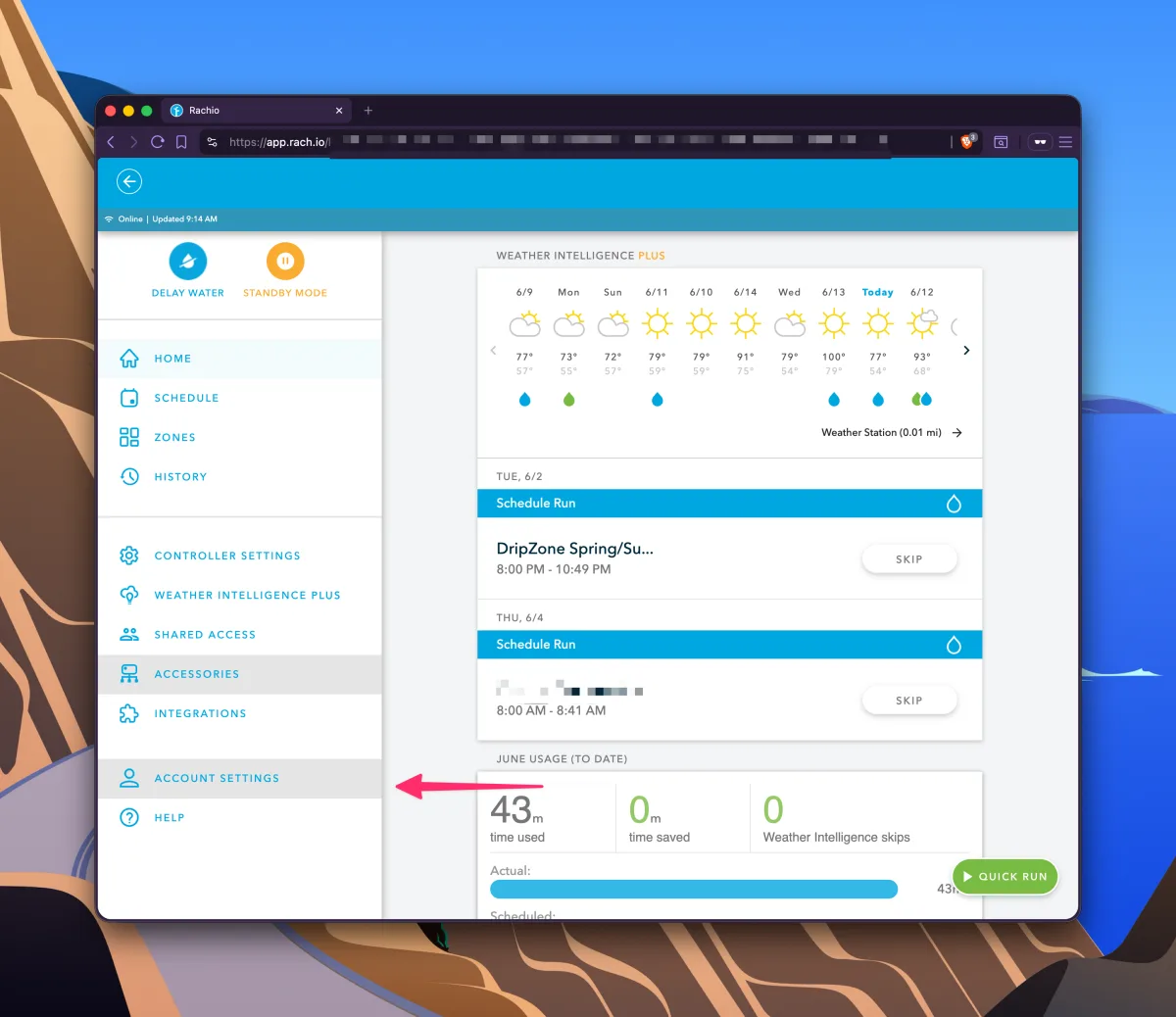
Open Account Settings
Open the left-hand menu and click Account Settings near the bottom.
-
2
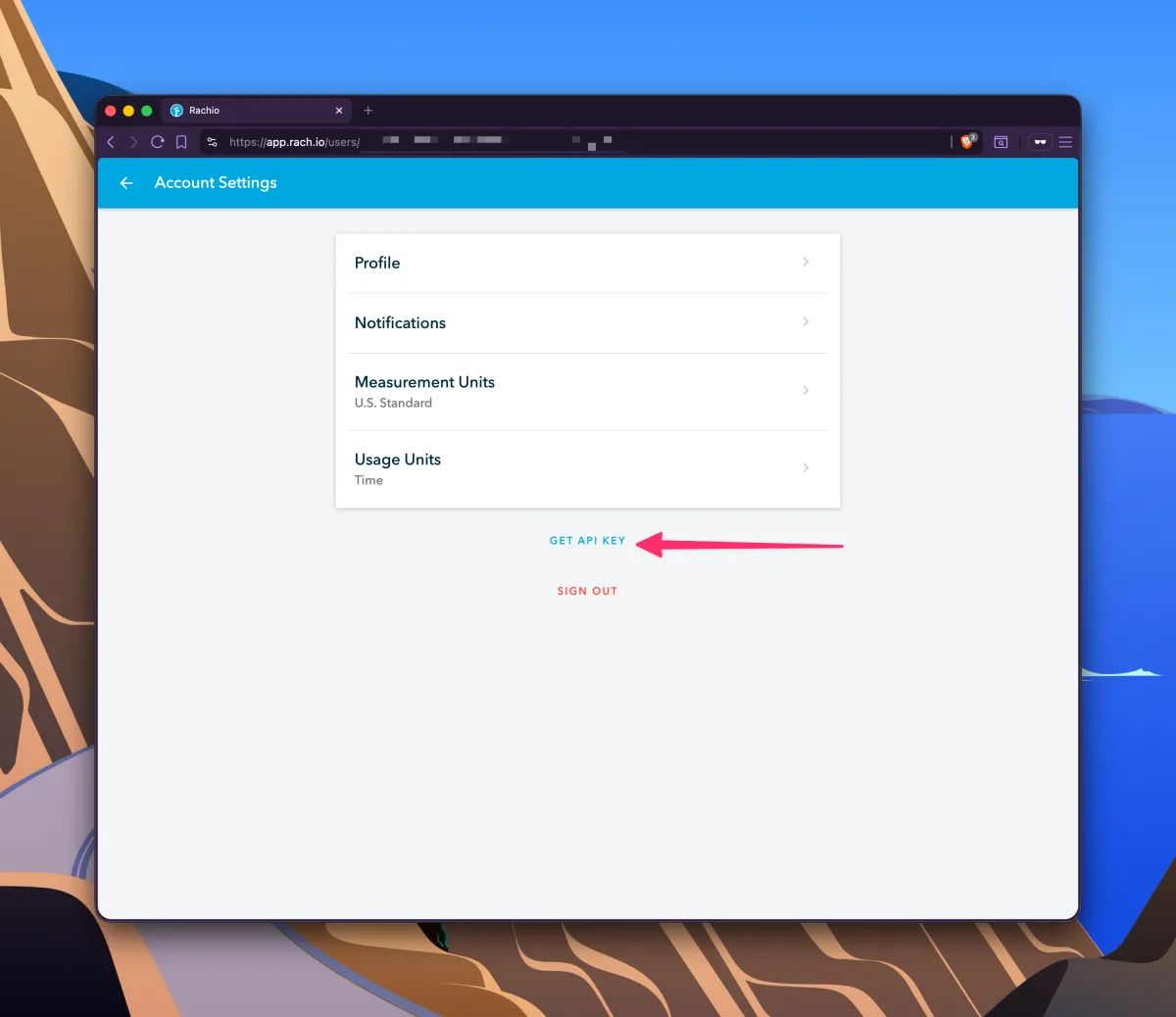
Click “Get API Key”
On the Account Settings page, click the Get API Key link below the settings list.
-
3
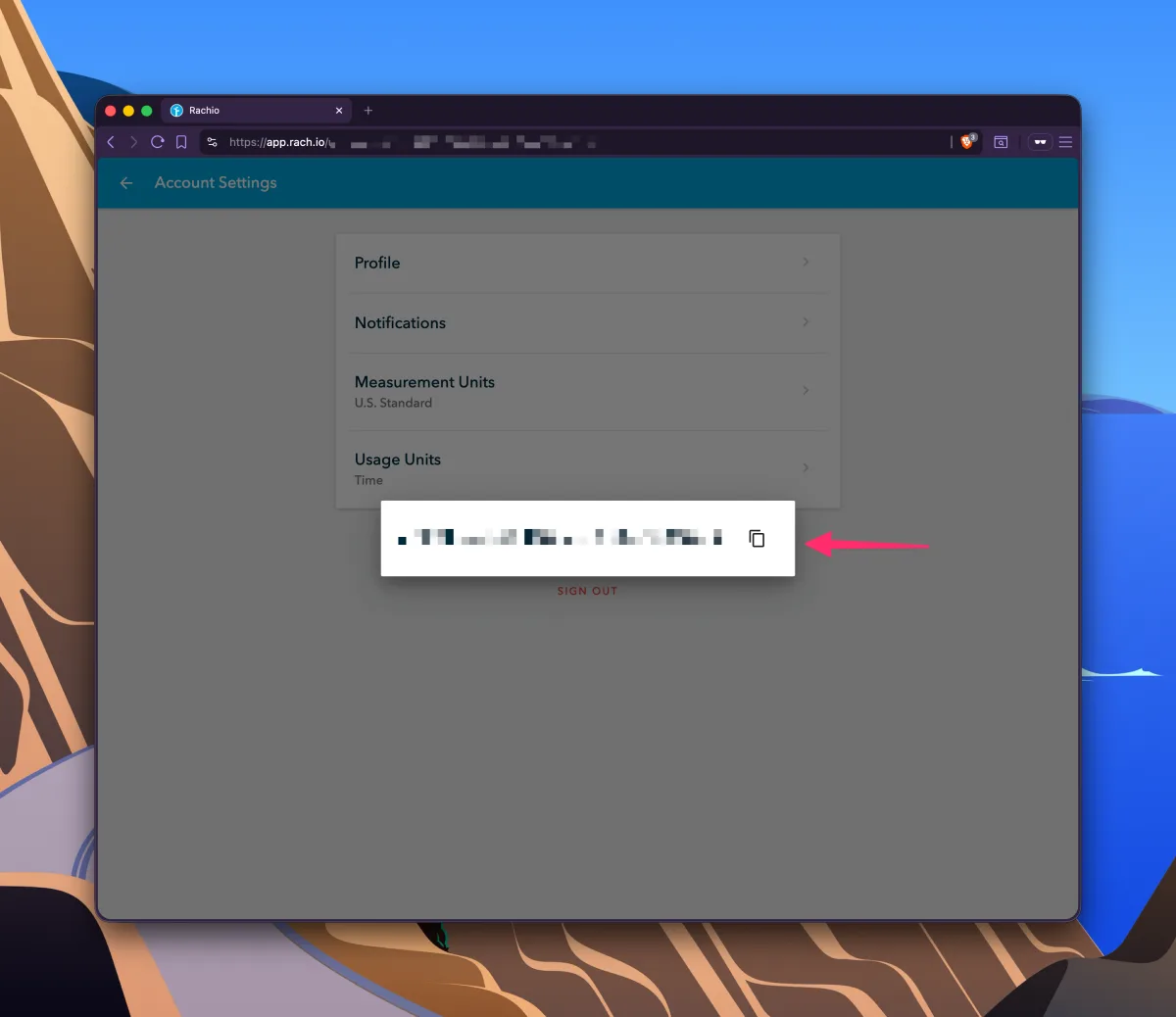
Copy your API key
Your API key appears as a long string. Click the copy icon to copy it, then paste it into Barranca Verde.
That's it — you're ready to connect
Paste your API key into Barranca Verde to start logging per-zone irrigation runs.
Connect Rachio